Early access beta
Get DingDollar on your phone
The beta isn't on the public Play Store yet, so it takes a few extra steps to install. Follow them in order — it takes about five minutes.
Android only, for now. DingDollar's early access build currently runs on Android devices only. An iOS version isn't available yet.
Join the tester group
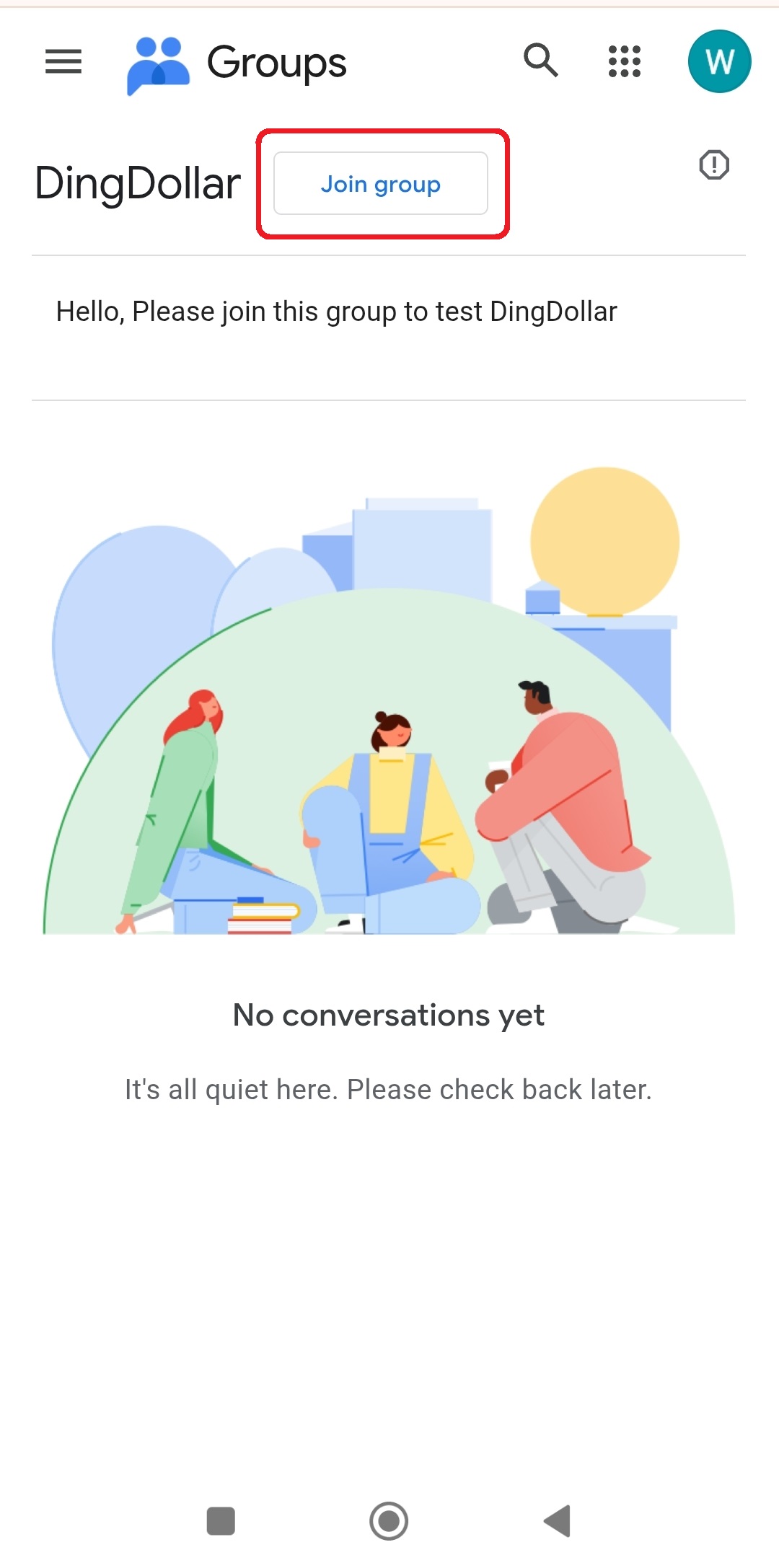
Open the DingDollar Google Group and tap Join group. This is what lets Google Play show you the beta version of the app.
https://groups.google.com/g/dingdollar
Link your Google account
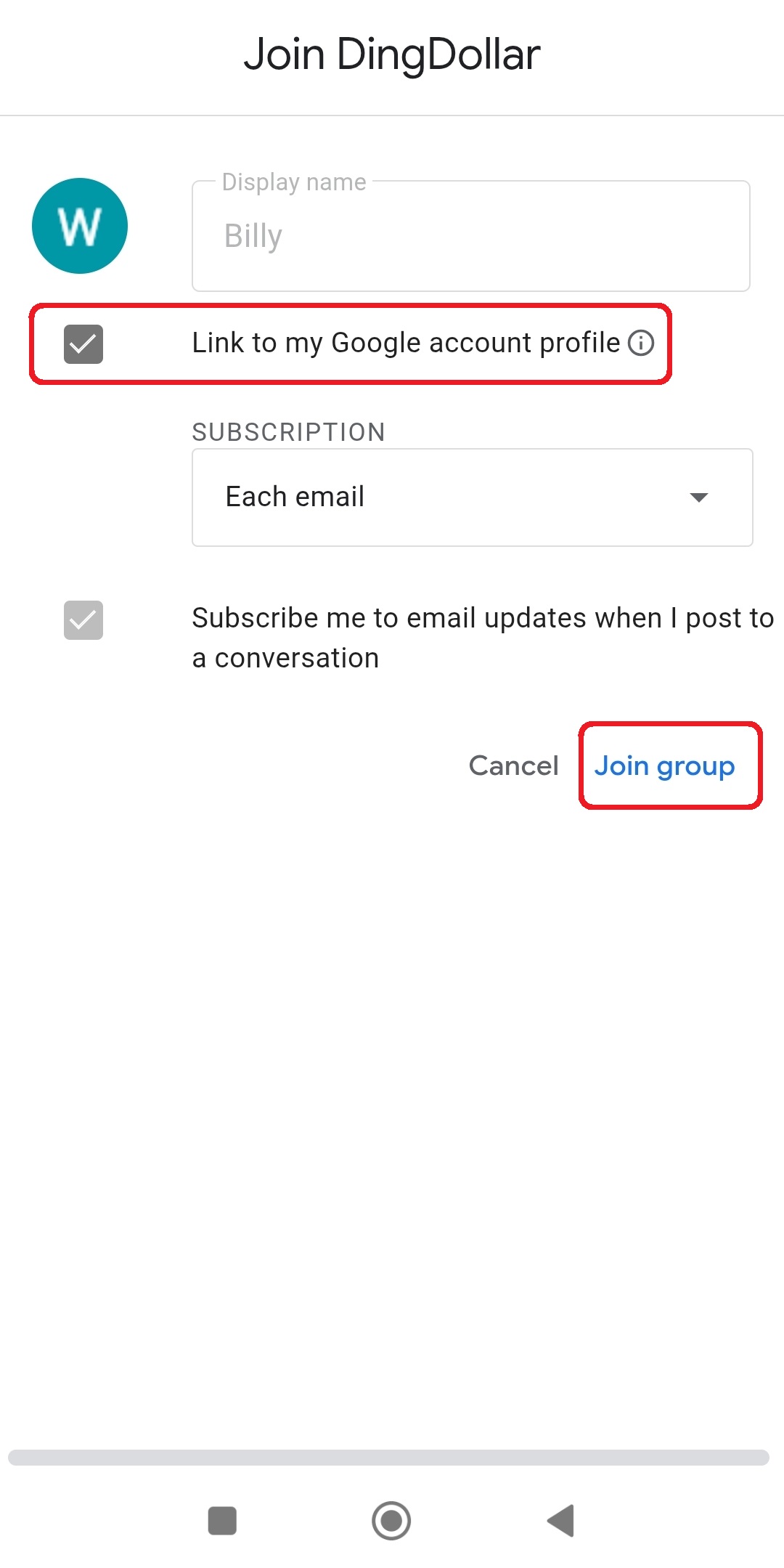
In the "Join DingDollar" popup, make sure Link to my Google account profile is ticked before you confirm. This is what Google Play checks to unlock the beta download for you.
Open the testing page and become a tester
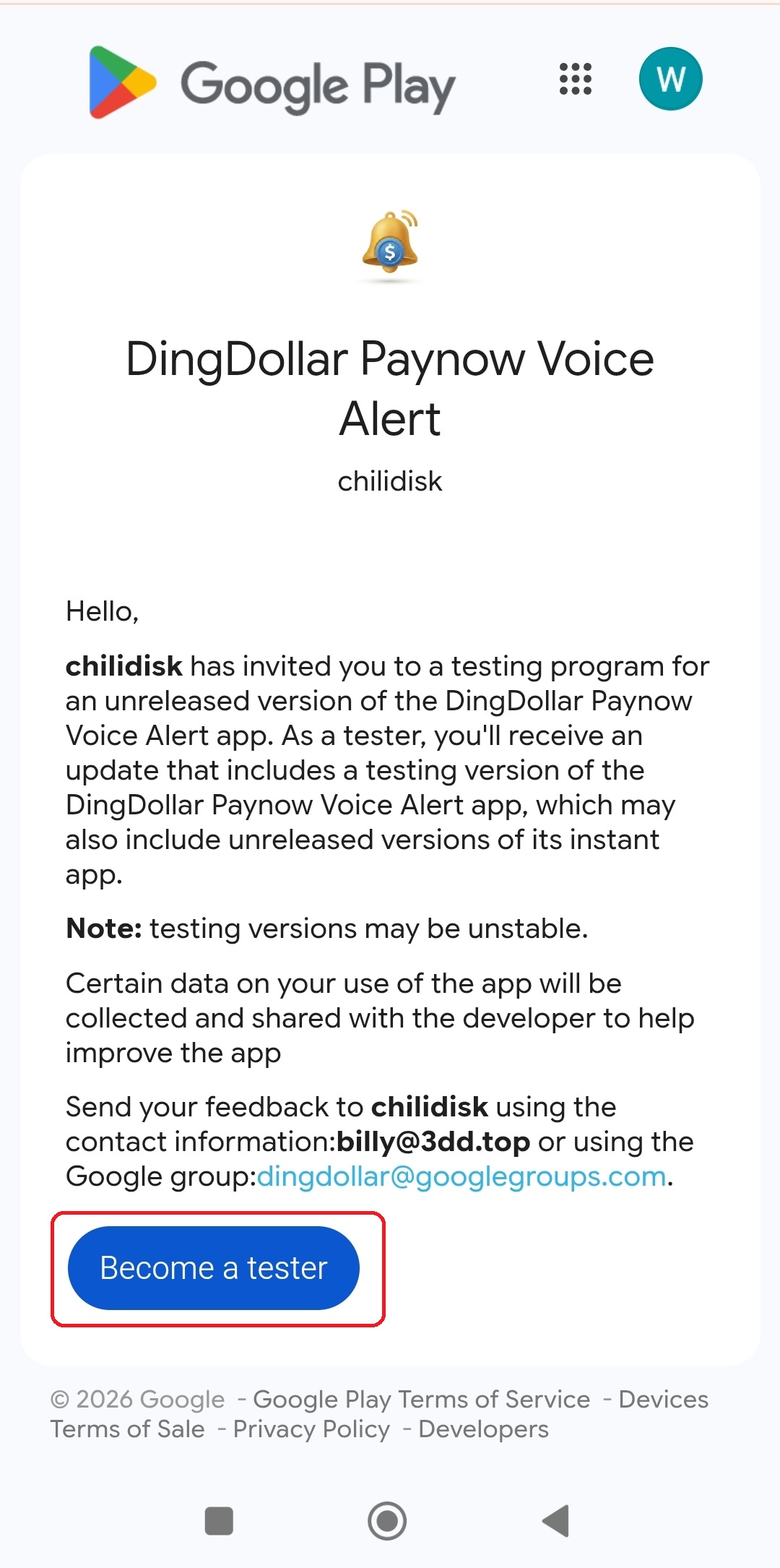
On a computer, open the web testing link below and sign in with the same Google account. On your Android phone, you can use the direct Play Store link instead.
https://play.google.com/apps/testing/com.chilidisk.dingdollar
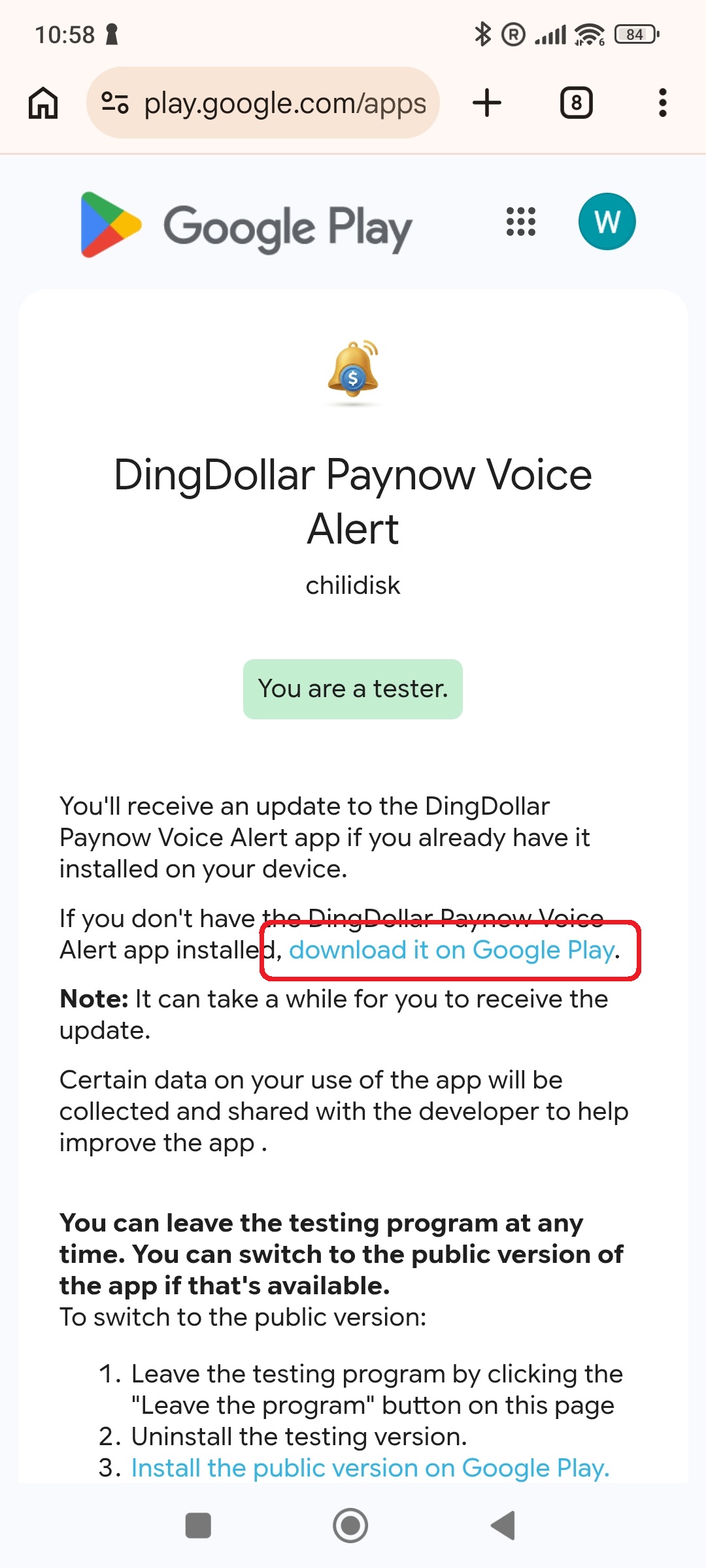
Confirm you're a tester
Once you tap Become a tester, you'll see a confirmation. Tap download it on Google Play to head to the app's install page.
Install the app
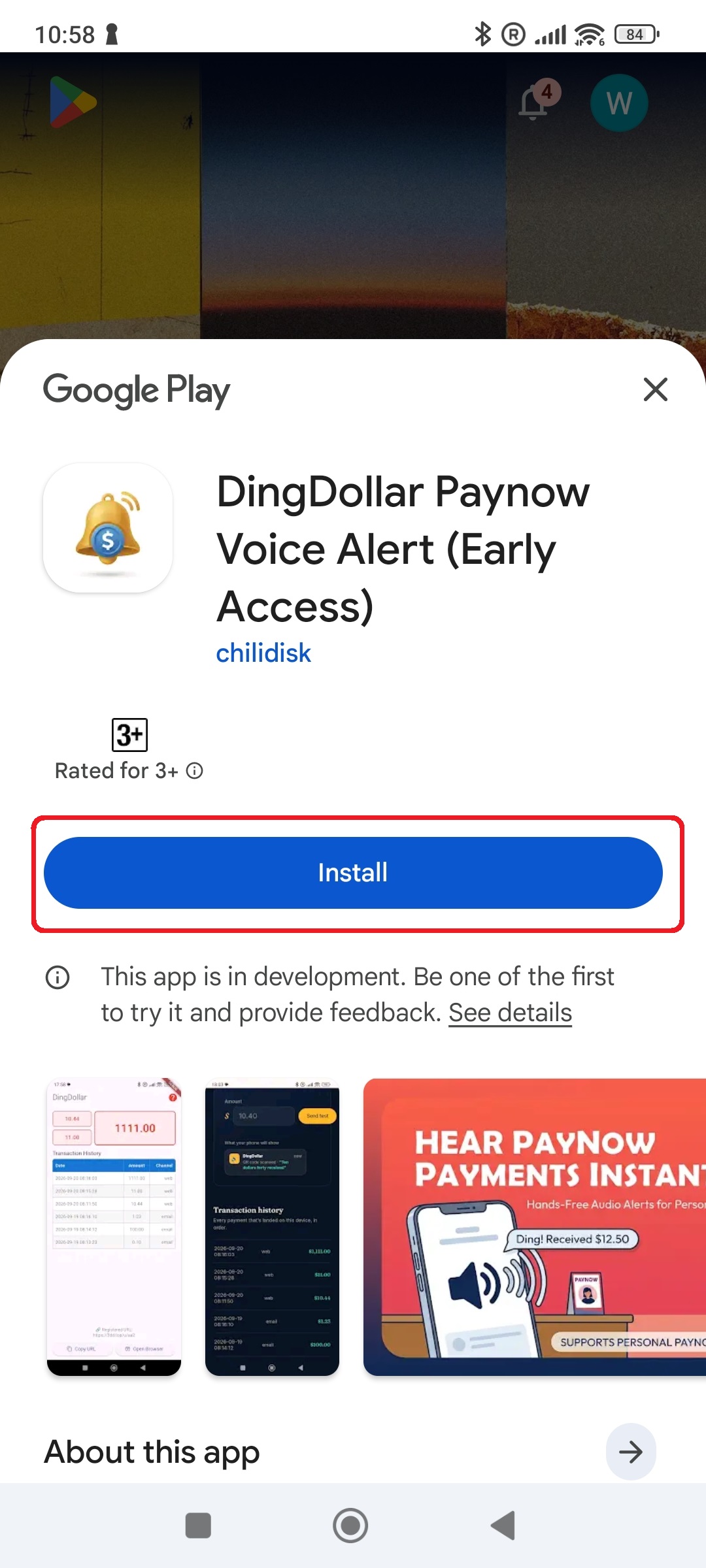
On the app's Play Store page, tap Install and wait for it to finish downloading on your phone.
Allow notifications
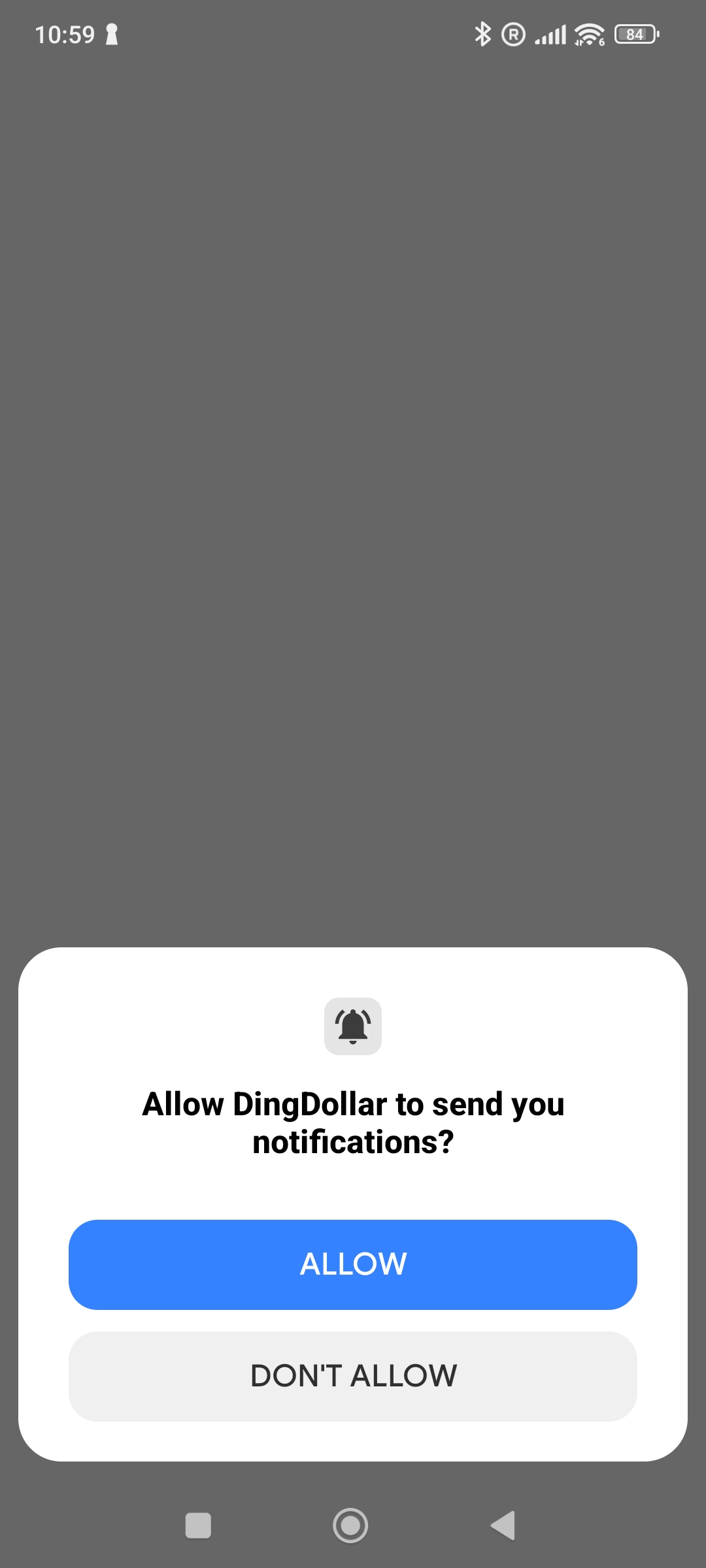
Open the app and tap Allow when it asks to send you notifications. Without this, DingDollar can't ding or speak the amount when a payment lands.
Finish setup in the browser
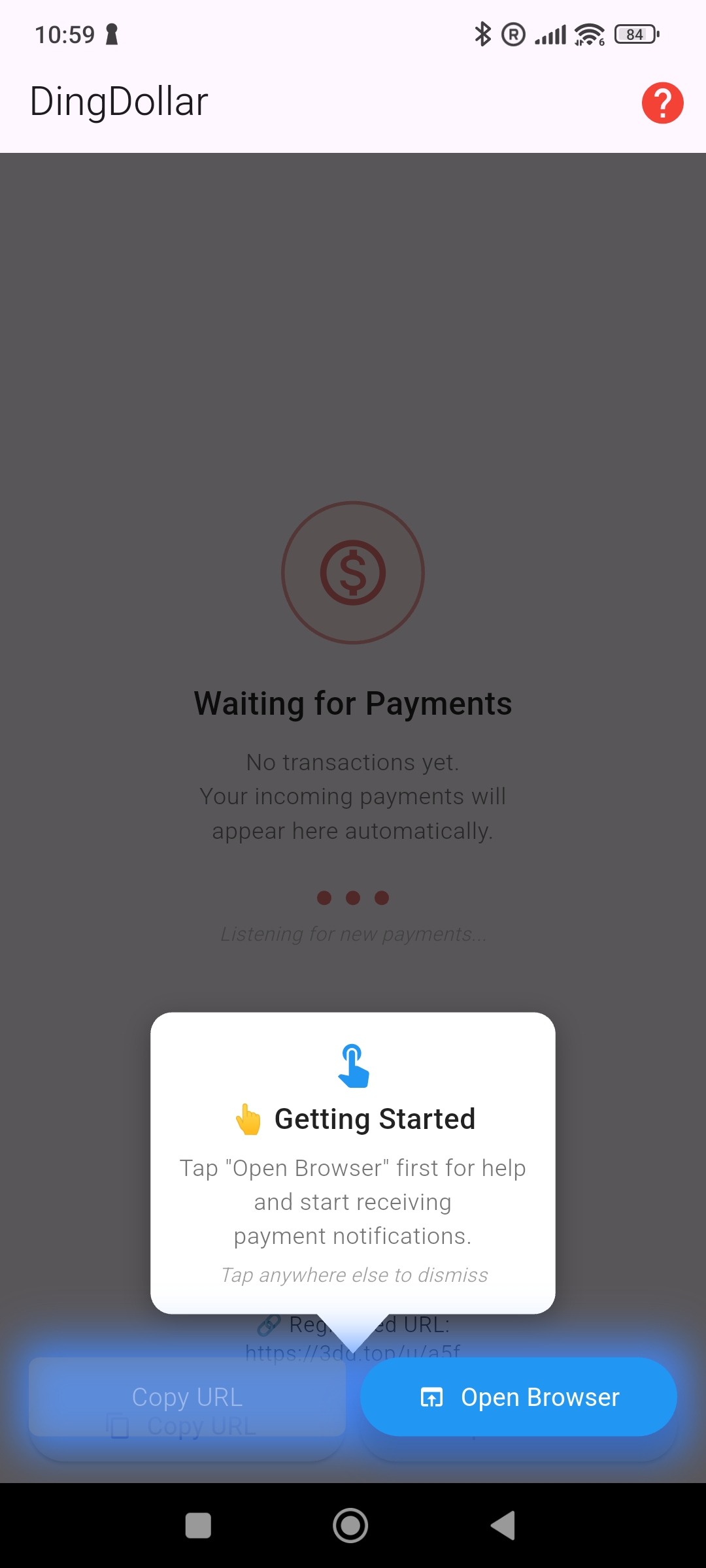
The app shows a Getting Started card pointing at a registered URL. Tap Open Browser to continue on the web page and finish setting up your PayNow alerts.